Mobile Technology in TAFE

How to Blog an image from Flickr

June 26, 2008 · 14 Comments

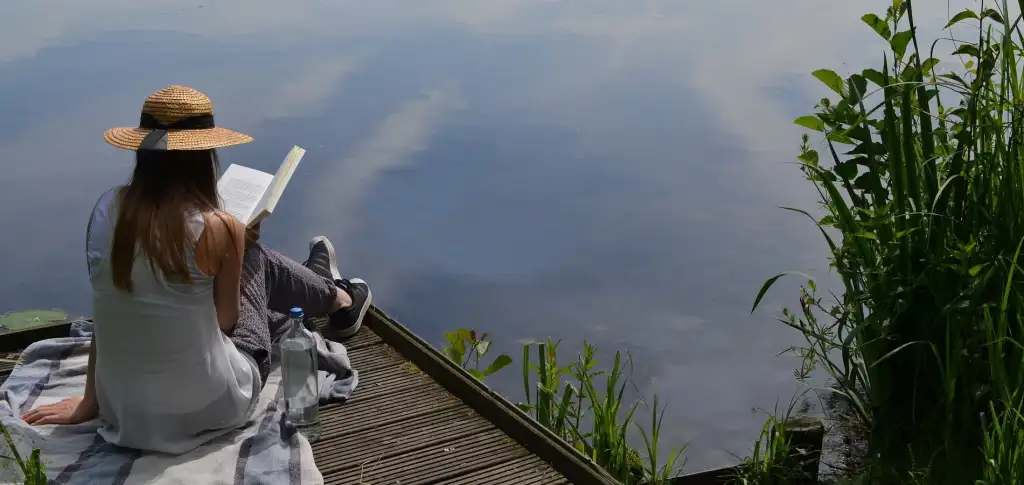
How to Blog from Flickr, originally uploaded by Sue Waters.

Adding images to posts can be time consuming. A quick option is to blog directly from Flickr. Not only can you quickly write the post but it also adds a image attribution

To blog directly from Flickr you first need to configure your external blog with your Flickr account (which you do here. Alternatively click on the drop drown arrow on You and choose your Account , Click on the Extending Flickr link and the edit alongside Your blogs. Follow the instructions to link your blog with your account (for edublogs users you select the Wordpress blog).

For Edublogs users your blog URL address needs to look like this:

http://aquaculturepda.edublogs.org/xmlrpc.php  i.e.  Add xmlrpc.php to the end of your blog URL.

Now that your blog is configured whenever you see a photo on Flickr you would like to blog about just click on the Blog This link above the photo and write your post.

This post was written as a demonstration of what a post looks like when blogged from Flickr. Hope you like my quick demonstration :)

Categories: Blogging Tips · Photosharing & Editing Tips
Tagged:

Create a free edublog to get your own comment avatar (and more!)


14 responses so far ↓

  •   Claire Thompson // Jun 27th 2008 at 4:11 am

    Sue, I was very excited to learn about blogging from Flickr and so I followed your directions, but I’ve encountered a problem and was wondering if you have the answer. When Flickr asks for your API endpoint I put in http://cthompson.edublogs.org/xmirpc.php to which I keep getting the error message “the endpoint you entered was not correct”. Thanks!

  •   Sue Waters // Jun 27th 2008 at 9:17 pm

    Hi Claire — sorry taken so long to respond back been a busy day at work. I added my test blog to Flickr yesterday and had not problem. So went back and check since the print is very small. I think the issue is you grab the wrong ending this is what it is when you paste it xmlrpc.php . Hope that helps. Let me know.

  •   Claire Thompson // Jun 27th 2008 at 10:02 pm

    Hi Sue,
    Thanks for getting back to me. I realize that I had a typo in my comment above; I did use the xmlrpc.php ending. Tried it again this morning and now it is working for me. Must have been a temporary problem.

  •   Finding and Adding Creative Commons Images To Your Blog Posts | The Edublogger // Jun 29th 2008 at 1:51 pm

    [...] This post blogged from Flickr to my personal blog explains How to Blog an image from Flickr and shows what a post written using Flickr looks like. Unfortunately adding tags and categories to posts written using Flickr does requires you to edit the post from within your blog dashboard. Also I prefer to write blog post first then look for images. [...]

  •   Marie // Jul 16th 2008 at 7:32 am

    Great tip. Doesn’t seem to work for global teacher accounts though, even though they are wordpress/edublog.

  •   Intro to Web 2.0 » Week 5: Media Sharing // Jul 16th 2008 at 8:35 pm

    [...] How To Blog an Image from Flickr using Edublogs [...]

  •   B.Barnard // Jul 18th 2008 at 3:58 am

    Like Claire, I am having problems with the API endpoint. I have tried last evening and again this afternoon and still can’t get it to stop saying “the endpoint you entered was not correct”. The user name is the same “itsweb.” Any ideas other than keep trying?

  •   techchris // Jul 19th 2008 at 3:26 am

    Another great tool is Windows Live Writer for Windows users and if you are a Firefox user you can try the Scribe Fire plugin that allows quick blogging from any webpage.
    Links:
    http://windowslivewriter.spaces.live.com/
    http://www.scribefire.com/

  •   Marie // Jul 19th 2008 at 9:56 am

    I like your tip techchris, however, as with blogging an image from flickr, the request is to insert an “api url”. Not sure what this is, but when just the url is inserted it doesn’t work.

  •   Claire // Jul 20th 2008 at 5:15 am

    @B.Barnard–is yours an edublogs account? I just tried again a day later and it finally worked. I’m not sure if the problem was with Twitter or edublogs, my blog host.

  •   Claire // Jul 20th 2008 at 5:18 am

    @Marie, what url did you enter? When I finally got this to work on Flickr I entered http://cthompson.edublogs.org/xmlrpc.php ie, my blog address with /xmlrpc.php on the end.

  •   Marie // Jul 20th 2008 at 4:02 pm

    @Claire: many thanks … that worked !!

  •   B.Barnard // Jul 21st 2008 at 2:22 am

    Claire,
    Thanks so much! I kept trying for days…changing usernames and retyping the API Endpoint. Today after reading your last comments, I tried copying your API Endpoint and pasting it, then changing to my address, and on the second try it went through! I would love to know why that is, but now I can continue on my online course. It is nice to know comments come so quickly for help.
    Thanks again.

  •   Claire Thompson // Jul 23rd 2008 at 12:06 am

    @Marie, @B.Barnard–glad to hear that things worked out!

Leave a Comment

*
To prove you're a person (not a spam script), type the security word shown in the picture.
Anti-Spam Image